


How to use a calculator and how to measure objects
Everything that can be counted does not necessarily count; everything that counts cannot necessarily be counted, Albert Einstein.
A calculator is a small electronic device or software application that canperform mathematical calculations. Powerful, inexpensive graphing calculators have become widely available, but smartphones are rendering them increasingly obsolete. Screen rulers let you measure objects easily and quickly.

- ClevCalc is one of the most popular, complete, and multifunctional calculators available for Android and iPhone, e.g., 497 + 598, 48 * 12, 36x15%.
To mentally calculate 497 + 598, adjust them to get round numbers (500 + 598 = 1098 or 500 + 600 = 1100), then correct after the sum is done (1098 - 3 = 1095, 1100 - 5 = 1095). 48 * 12 = 50 * 12 - (12 * 2) = 600 - 24 = 576. 15% de 36 = 10% of 36 + 5% of 36 = 3.6 + (10% of 36)/2 = 3.6 + 1.8 = 5.4.
It also supports all unit conversions commonly used in everyday life, such as length, mass, area, volume, time, temperature, force, energy, power, pressure, speed, fuel efficiency, and data size, e.g., 1200 m/h = (1200 * 3.28084)⁄(1 * 3600) ft/s (Remember: 1 m = 3.28084 ft, 1h = 3600 s) = 3937.008⁄3600 ft/s = 1.09361333333.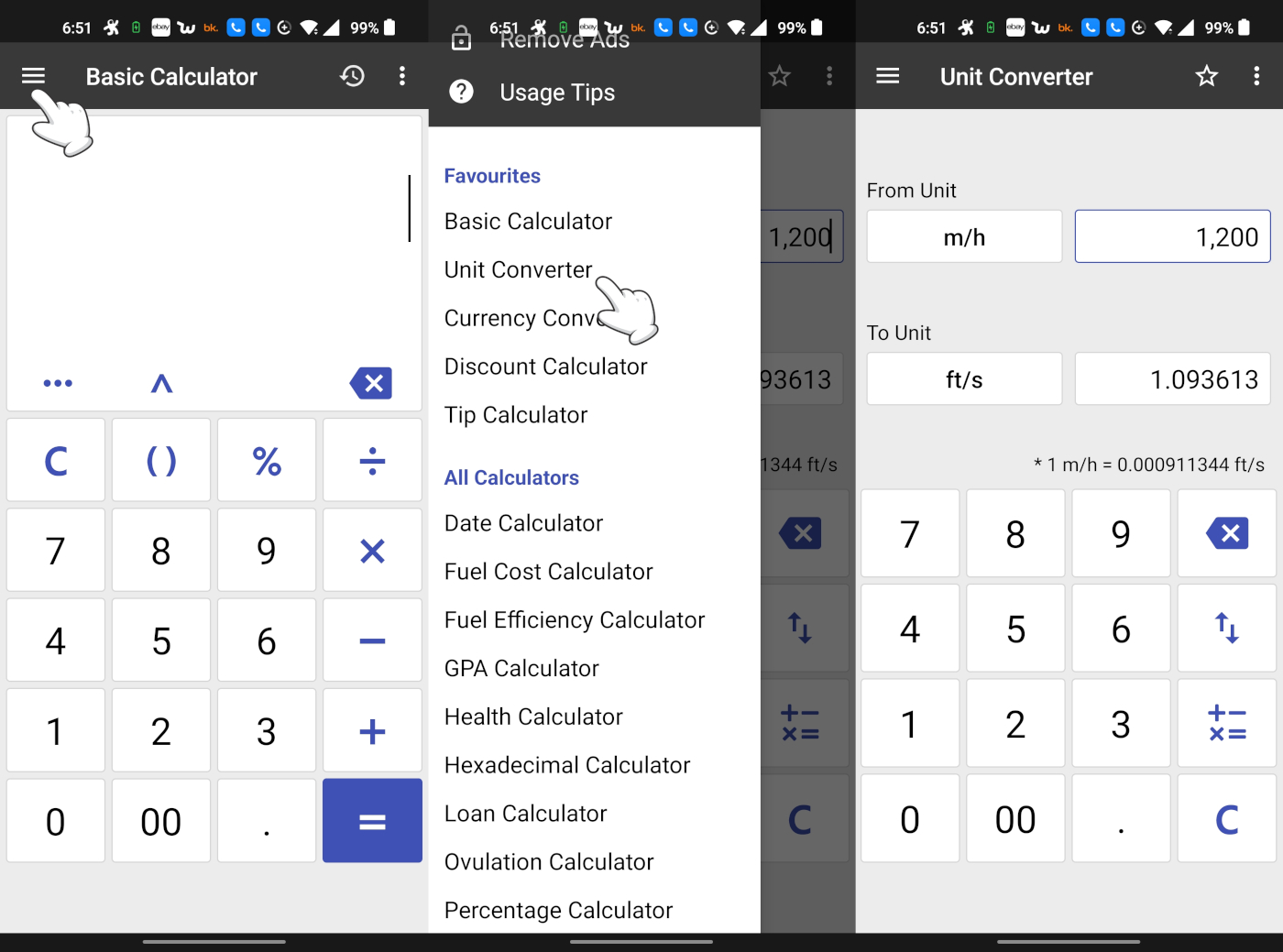
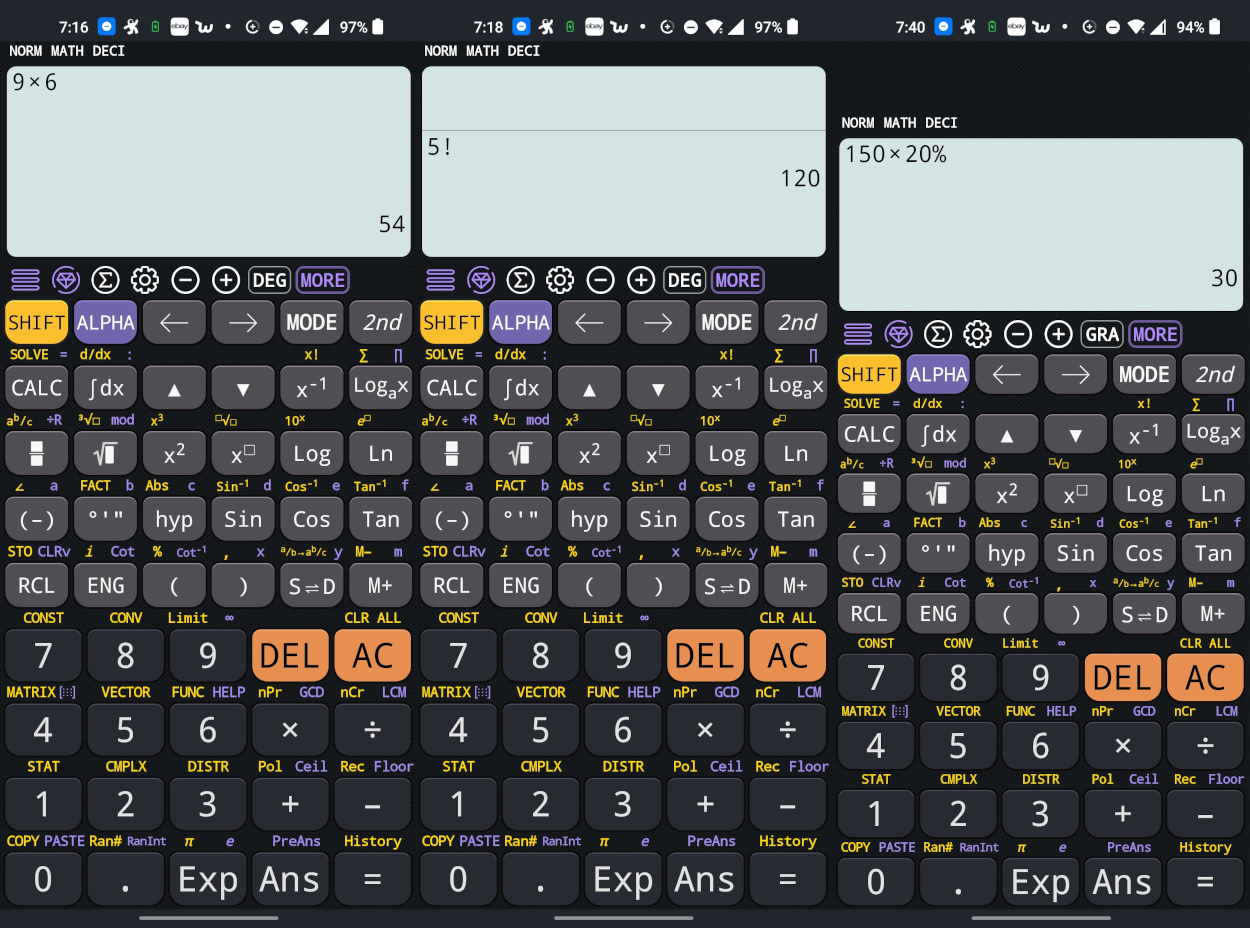
- Scientific calculator plus 991 is one of the best scientific calculator on Android. To calculate 5!, type 5, press SHIFT, then the X-1 key. To calculate percentages, type 150x20, press SHIFT, then the ( key. More examples: A) 8 mod 5 = 3 where mod is obtained by pressing ALPHA, then √■; B) 27 - Ans = 24 where ANS is the last result calculated = 3. C) Sin(45) = 0.7071… (DEGrees) = 0.8509… (RADians) = 0.6494… (GRAdients).Anytime you need to wipe out something from the display, press the AC (All Clear) or Clear button. If you want to clear just the last number, hit the Backspace or DELete button.
To calculate the percentage (20%) of a specific number (150), convert the percentage number into a decimal (20 ÷ 100 = .2), then multiply both numbers (.2 * 150 = 30). How to calculate it with a calculator? Press the following buttons: 150 x 20, SHIFT, then the ( key = 150 x 20% = 30
- Speedcrunch is a free desktop scientific calculator for Windows, Mac OS, and Linux. There are installers available for Windows (.exe) and macOS (.dmg) users. To install it in Ubuntu, Debian and derived distributions, open a terminal and type: sudo apt-get install speedcrunch. It is designed to be used via the keyboard (e.g., 1.432 + 8.75, pi*2.4^4, average(13;14;36), 5!*3) and the on-screen Keypad is disabled by default. To enable the Keypad, select the Keypad option from the View menu or use the shortcut Ctrl + K).
To place the status bar across the bottom, select View, Status Bar or Ctrl + B. If you want to change SpeedCruch’s look and feel, select Display, Color Scheme, and then select one of its color schemes.
The priority of operators is as follows (increasing left to right) “+”, “-”, “*”, “/”, “^”, so pi*2.4^4 = pi*(2.4^4) = 104.2305044237.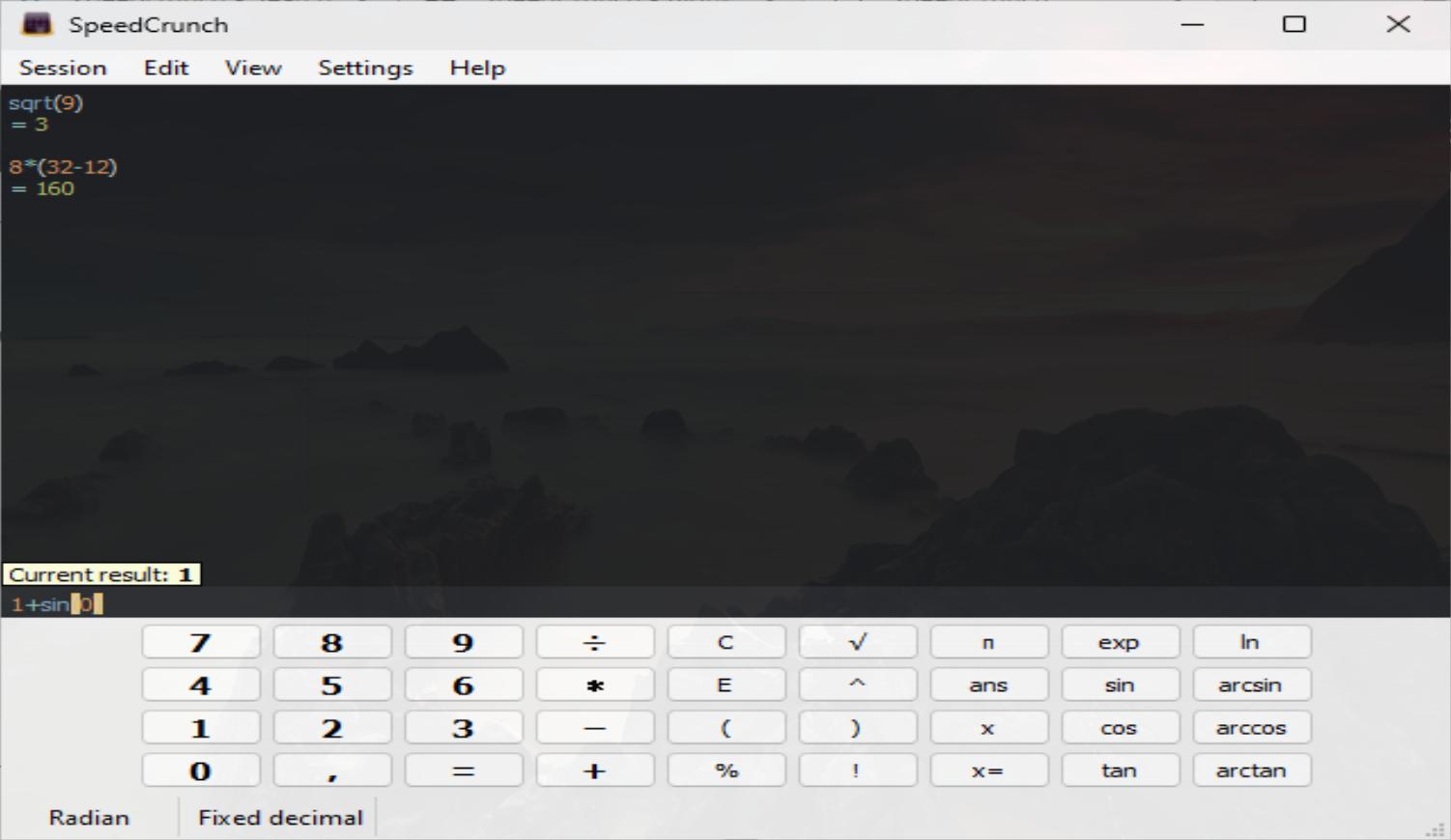
- Microsoft Copilot is designed to enhance your productivity by leveraging the power of AI.
- bc is a command line calculator for Linux. It offers everything you expect from a scientific or financial calculator.
    user@pc:~$ bc
    bc 1.07.1
    Copyright 1991-1994, 1997, 1998, 2000, 2004, 2006, 2008, 2012-2017 Free Software Foundation, Inc.
    This is free software with ABSOLUTELY NO WARRANTY.
    For details type `warranty'.
    2*4
    8
    ((7+5)/2)^2
    36
    (3^2)*(9)/3
    27
How to calculate ratios
If you have ten jars, and in every four jars there are twelve lollipops, how many lollipops do you have?
10 jars * 12 lollipops⁄4 jars = 10 * 12⁄4 lollipops = 30 lollipops. Another way of looking at the same problem is as follows,
4 jars ——> 12 lollipops
10 jars ——> x
x = 10*12⁄4 = 30 lollipops.
    user@pc:~$ bc
    bc 1.07.1
    Copyright 1991-1994, 1997, 1998, 2000, 2004, 2006, 2008, 2012-2017 Free Software Foundation, Inc.
    This is free software with ABSOLUTELY NO WARRANTY.
    For details type `warranty'.
    10*12/4
    30
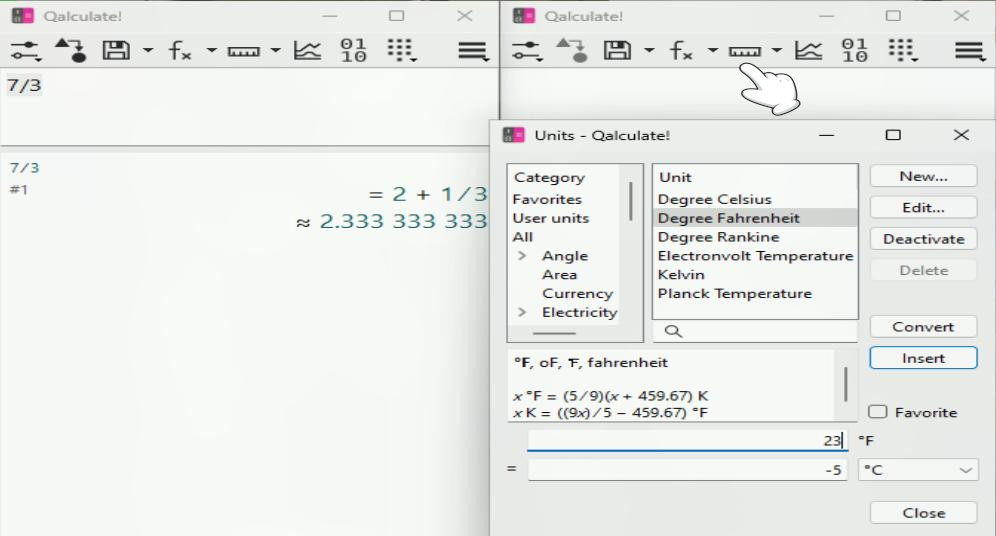
Qalculate! is a multi-purpose cross-platform desktop calculator. It is simple to use but provides the kind of power and versatility normally reserved for complicated math packages, as well as useful tools for everyday needs, such as currency conversion and percent calculation. The top buttons (from left to right) switches between the general and the programming keypad, switches between exact and approximate calculation, changes rational number form (Mixed fractions is selected by default), display mode (normal, scientific mode) and number base in result (binary, octal, decimal, etc.)
If you want to convert an improper fraction 7⁄3 to a mixed number, divide the numerator by the denominator (7 : 3 = 2 with a reminder of 1). Write down the quotient 2. Next, write down a fraction with the remainder (1) as the numerator and the same denominator of the improper fraction (3), 7⁄3 = 21⁄3. To calculate a conversion, open the unit conversion view (the ruler icon or Ctrl + U), select a Unit conversion from the list (e.g., Degree Fahrenheit, Degree Celsius), and type a quantity.
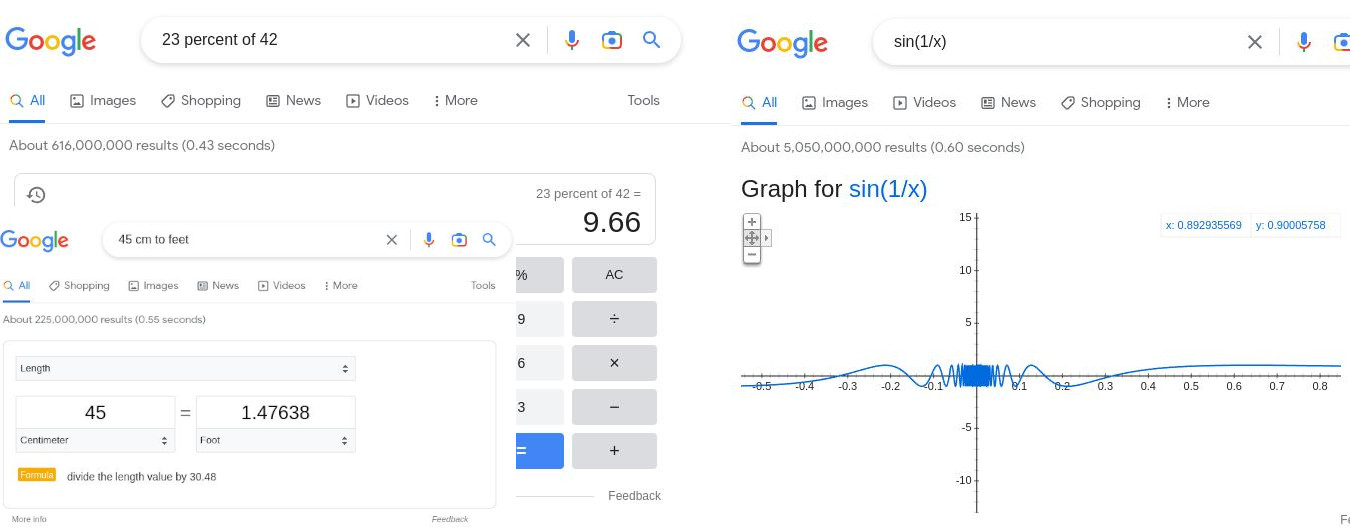
There are people who think that Internet is Google. This is not true, but Google has become synonymous with easy searching and fast results. Google offers a built-in calculator among its many services.
It allows you to do: basic mathematical operations (2.5*3.5); percentages (50% of 220); units (45 cm to inches, 38 Celsius to Fahrenheit), and currency conversions (21 dollars into Euros); conversions between different numerical systems (12 in binary, 12 in octal, 12 in roman), quick plotting of a function, etc.
Wolfram Alpha is a computational search engine. Just go to Wolfram Alpha and type a fraction (9/6). It returns the equivalent irreducible fraction (3/2), a pie chart representing it, and its decimal form (1.5).
Wolfram Alpha can calculate just about anything. It can do arithmetic on fractions (1/2 * (3 + 3/5)), solve equations (solve x^2 − 7*x + 12=0), plot 2d and 3d functions or compute indefinite and definite integrals of one or more variables (integrate x^2 + sin^2 x dx).
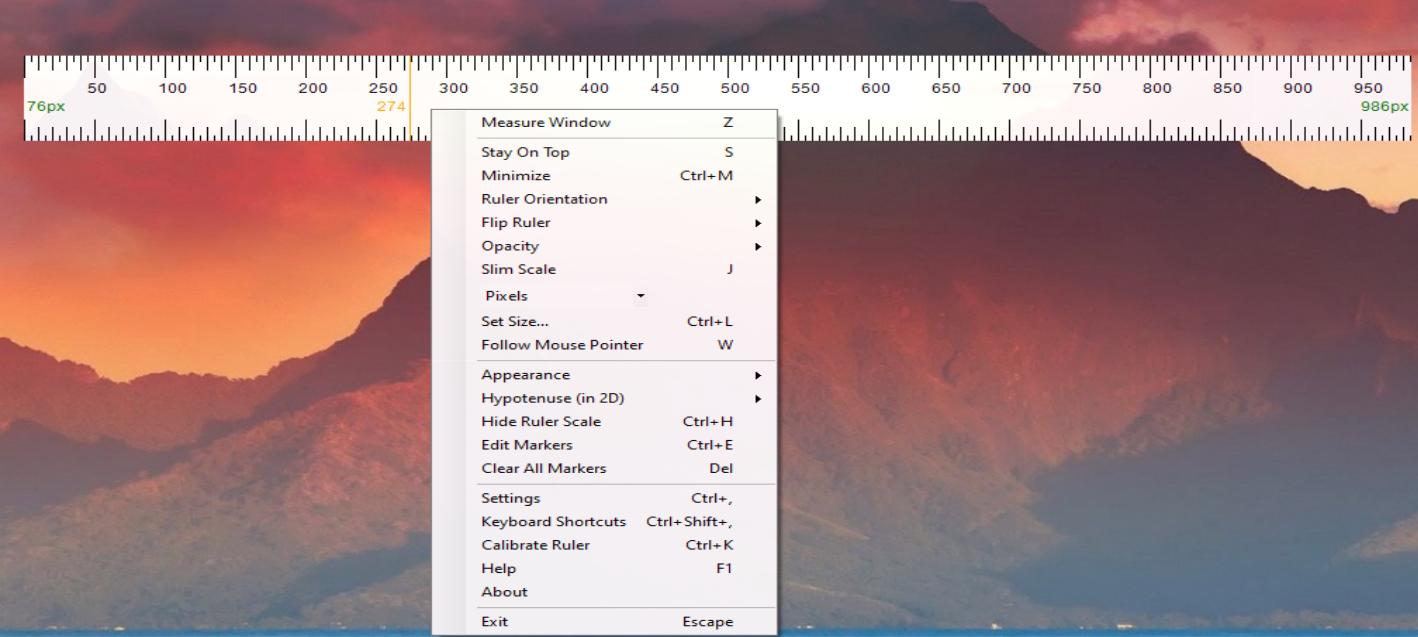
Screen Ruler is a lightweight and configurable ruler tool for Windows Desktop. It allows you to measure the size of elements on the screen in different units, including pixels, centimeters, and inches. A Ruler For Windows is a free on screen pixel ruler/reading guide for Windows. It lets you quickly and easily measure objects on your screen. iRuler, Online Ruler, PiliApp Actual Ruler, and GiniFab are free online rulers.
Android apps: Ruler by NixGame and Smart Ruler are simple, user friendly, and accurate mobile ruler apps. NixGame has several measurement apps: a ruler, a bubble level application, and a speedometer app. Sound Meter is a free app to measure noises and sounds from your surrounding environment.
Bibliography
- List Of Freeware, 41 Best Free Unit Converter Software For Windows & List of Best Free Screen Rulers.
- wikiHow, How to Convert Units & How to Operate a Scientific Calculator.
